
Self-order kiosk hospitality
A self-order kiosk that pulls the queue at the till apart
Your guests order and pay at the kiosk, and the ticket lands in the kitchen straight away. Your people stand at the food again instead of at the till, even on the busiest Saturday.
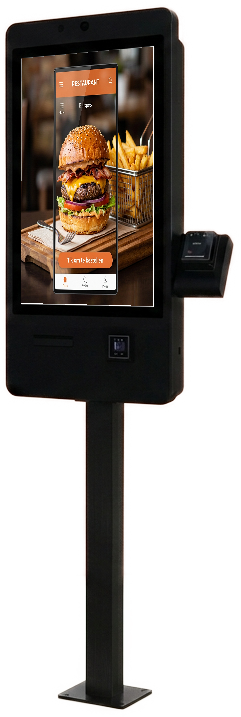
- Ordering and card payment on the same screen
- Ticket straight from the printer or onto the kitchen screen
- Menu, prices and offers from one CMS
- 30 days of trial on selected Budget-line models
In the kitchen
The order arrives while you keep cooking
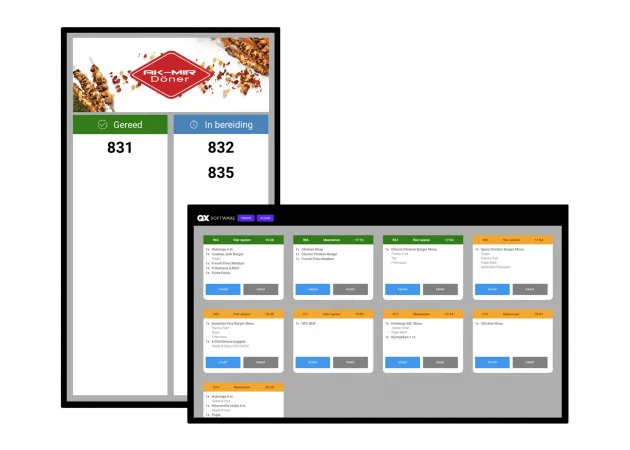
Every kiosk order arrives as one ticket: on the receipt printer, on the kitchen screen, or both. The guest takes a number, and your people see at a glance what is ready and what is still being prepared.
When an item runs out you set it unavailable in the CMS and it disappears from every kiosk at once. No guest orders something the kitchen no longer has.
- Ticket numbers on a status screen for your guests
- Turn items on and off without walking to the kiosk
- Switch the day menu or evening card at a set time
Which kiosk
Indoors, outdoors or on the counter
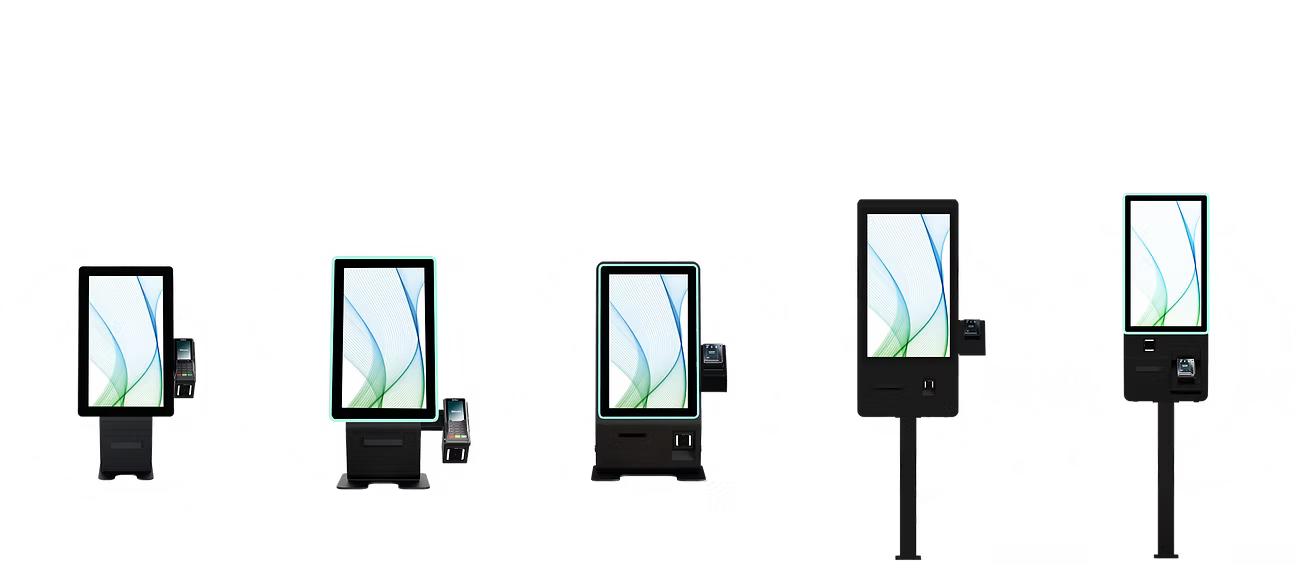
With staff nearby, a Budget-line kiosk on the counter or on a stand takes you far enough. If your venue runs long days, or the kiosk stands in the wind by the entrance, you want the heavier Premium-line or the outdoor kiosk with its canopy.
The software is the same on all three, so you can start small and expand later without rebuilding your menu.
- Premium-line for unattended and rough locations
- Budget-line to start with, delivered by post
- Outdoor kiosk for terraces, drive-thru and leisure
Your menu on screen
The kiosk sells the way your best server does
A guest choosing for themselves looks at the menu longer than a guest at the counter. That calls for a menu that can carry it: photographs, clear choices and a suggestion at the moment it fits.
- Sauces, extras and sizes as choices on the product
- Suggestions at checkout, set per product
- Multilingual menu for tourists and international guests
- Fully in your own brand style, right down to the receipt
Frequently asked questions
Does the kiosk work with my POS?
Usually yes. We connect to Shopify POS, WooCommerce, Magento, Salesforce Commerce Cloud and Viva.com, and there is an open API for systems outside that list. With no POS in place, the kiosk handles ordering and payment on its own.
How many kiosks do I need?
Rule of thumb: one kiosk per till you open at peak, and in a narrow entrance two small ones beat one large one. We think along based on your floor plan and your busiest hour.
Can guests pay cash at the kiosk?
The kiosk takes card, contactless and phone payments. Cash stays at the counter, or you add a coin module when your location genuinely needs one.
What happens when the internet drops?
The kiosk keeps showing the menu and says plainly that payment is unavailable rather than going black. As soon as the connection returns, the order flow picks up again.
How fast can a kiosk stand in my venue?
A Budget-line kiosk arrives by post and is running within the hour. For a Premium-line or outdoor kiosk we schedule the installation, menu setup included.
Put a self-order kiosk in your own venue for a month
Tell us what you want to solve. We think along about the setup that fits your location, and you get an answer within one working day.
- Software built in the Netherlands
- One CMS for kiosk, POS and webshop
- Fully in your own brand style
- Hardware to buy or lease, from a small monthly amount